Built your website with AI in an afternoon? Read this before you go live
AI website builders are genuinely impressive. Type a few sentences, wait a minute, and you get a homepage with stock photos, a slick hero banner and copy that sounds confident.
It looks finished. For a lot of business owners, that's where the thinking stops.
But a website isn't a picture of a business. It's a piece of software that has to load fast, work on every phone, get found by Google, keep customer data safe and keep working for years. In the hands of someone who knows exactly what to ask for and what to check, AI is a brilliant tool. In the hands of someone who doesn't, it produces something that looks good and is garbage underneath.
This article walks through what's actually going wrong under the bonnet of DIY AI websites, and why a professionally built site buys you something an AI prompt can't: peace of mind.

Looking finished isn't the same as being finished
When you judge a website by eye, you only see the top 10%. The other 90% is invisible to you, but not to the three audiences your site actually has to serve:
- Your customers, on real phones, on patchy 4G, some of them using screen readers or zoom
- Google and AI search tools, which read your code rather than your design
- Bots and attackers, which scan millions of sites a day looking for the weak ones
An AI builder optimises for the thing you can see in the preview window. Nobody is checking the rest unless you know to ask. And if you don't know these things exist, you can't ask for them.
Here's what that hidden 90% looks like.

20 problems hiding under a DIY AI website
We've grouped them into six areas: getting found on Google, speed and mobile, living with the site, security, accessibility, and the content itself.

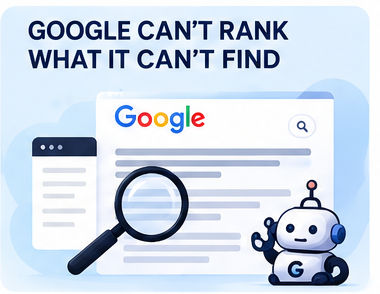
Google can't rank what it can't find
1. Invisible JavaScript apps. Many AI builders make websites that assemble themselves inside the visitor's browser, using code called JavaScript. Google can usually cope, but it has to queue the page and come back to finish reading it, and Google's own guidance still says sending a ready-made page from the server is a great idea, partly because not every search tool can run that code.
2. Missing SEO elements. These are the behind-the-scenes labels search engines read. Each page needs its own title and short description (the text people see in Google's results), a clear main heading, and written descriptions of its images. The site also needs a sitemap (a list of your pages for Google) and a robots.txt file (instructions for search engine bots). AI tools often skip these, copy the same ones onto every page, or leave placeholder text in.
3. Broken site structure. A good site is organised around how people search: a page per service, a page per area you cover, tidy page addresses and a clear layout. AI builders tend to cram everything onto one long homepage, which gives Google one page to rank instead of twenty.
4. No internal or external linking strategy. Links between your own pages tell Google what matters and how topics connect. Links out to credible sources show you're part of a real industry. A one-prompt site usually has a navigation menu and nothing else.
5. Never getting crawled and indexed. Going live doesn't mean Google knows your site exists. Someone needs to set it up in Google Search Console (Google's free tool for website owners), send Google your list of pages, check those pages actually appear in search, and fix whatever is stopping the ones that don't. Most people building their own site never open Search Console.
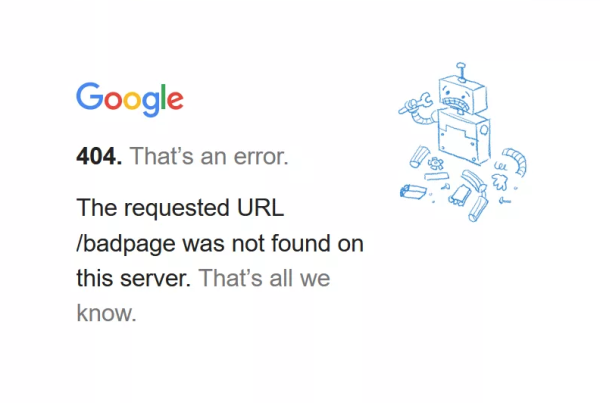
6. Throwing away your old rankings. If you're replacing an existing website, every old page address needs a permanent redirect (known as a "301") pointing to its new page. Without them, anyone following an old link, including Google, hits an error page, and rankings built up over years can drop sharply.
7. No structured data. Structured data (also called schema) is a hidden layer of code that spells out your business name, address, opening hours and services in a format search engines and AI tools can read reliably. It's rarely added unless someone knows to ask for it.
Slow, heavy and broken on real phones
8. Poor site speed. Google highly recommends hitting its speed and stability targets, called Core Web Vitals, and says they line up with what its ranking systems reward. In plain terms: the main content should appear within 2.5 seconds, the page should react to a tap in under 0.2 seconds, and things shouldn't jump around while it loads. Huge images, autoplay video and piled-up animations make those targets hard to hit.

9. Bloated "vibe coding". "Vibe coding" means building a site by asking an AI for changes until it looks right. Each request often adds new code rather than tidying what's there. After a few dozen rounds you can end up with duplicated code, add-ons nobody uses and scripts that clash, and every visitor has to download the lot.
10. Layout collapse on real phones. The preview window isn't an iPhone with the keyboard open, an older Android on a small screen, or someone with their text size turned up. Buttons overlap, menus won't close, forms disappear under the keyboard. Google indexes the mobile version of your site first, so a broken mobile layout is your site as far as Google is concerned.
Easy to build, hard to live with
11. The "bug loop". You ask the AI to fix the contact form. It fixes the form and breaks the menu. You ask it to fix the menu and the form breaks again. Without someone who can read the code, you can go round this loop for days and never know which change caused what.

12. Unmaintainable architecture. AI-generated code often has no consistent structure, no documentation and no version history. When you eventually need a developer, they may have to rebuild rather than fix, because nobody can safely work out what holds the site together.
13. Plugins and updates nobody manages. Sites built on WordPress and similar platforms rely on plugins: add-ons that bolt on features like contact forms or bookings. They're also where most security holes turn up. Patchstack's 2026 report logged 11,334 newly found security flaws in WordPress and its add-ons in its latest annual count, up 42% on the year before, and 91% of them were in plugins. For the flaws attackers targeted hardest, the typical time from the flaw going public to the first attack was about 5 hours. A site nobody updates is an easy target.
Security and your customers' data
14. Vulnerable code. AI writes code that works, which isn't the same as code that's safe. Veracode's 2026 GenAI Code Security Report tested more than 100 AI models and found they passed its security tests only 56% of the time on average, barely changed from the year before, even though almost all the code ran without errors. (Veracode sells code-security tools, so it has a commercial interest in this finding.)

15. Data and input risks. Contact forms, quote calculators and booking tools collect people's personal details. Without proper checks on what's typed in, protection against spam bots and secure storage, they can be abused or leak customer data. And without a developer checking, passwords and secret keys for connected services can end up in the site's code, where anyone can view them in their browser.
16. Cookie and privacy compliance. Cookies are small files a website stores on a visitor's device. Since 5 February 2026, UK law lets you use cookies purely to gather statistics for improving your site without asking first, but only if you explain them clearly, give people a simple way to object, and don't share the data beyond helping improve the site. Advertising and tracking cookies, such as social media and ad-network pixels, don't fit that exemption and still need clear consent before they're set. Many AI-built sites add tracking with no consent banner at all, or a banner that doesn't actually stop anything. (Whether a given analytics tool qualifies depends on how it's set up, and the ICO is still updating its guidance, so this needs someone who keeps up.)
Accessibility
17. Inherited accessibility failures. AI learns from existing websites, bad habits included. The WebAIM Million 2026 report checked the home pages of the world's top million websites and found detectable accessibility failures on 95.9% of them, averaging 56.1 errors per page. That was worse than the year before, reversing six years of small improvements. WebAIM suggests the slide likely reflects more complex pages, more reliance on ready-made code libraries and AI-assisted "vibe coding". Text too faint to read, images with no description and form boxes with no label make a site hard or impossible to use for people with sight loss, including those who use screen readers (software that reads pages aloud). None of it shows up in a preview.

Content that damages trust
18. Cookie-cutter aesthetics. The same gradients, the same stock-style imagery, the same "Elevate your experience" headings. Customers have seen it a hundred times, and a site that looks like everyone else's gives them no reason to pick you.

19. Plagiarised and truncated copy. AI can echo wording from competitors' websites, cut content off mid-thought, or pad pages with filler. The problem isn't AI itself. Google's spam policies treat copying other sites' content with only light rewording as "scraping", and churning out lots of low-value pages as "scaled content abuse", no matter how it's created. Sites that break these policies can rank lower or drop out of results altogether.
20. Confident hallucinations. AI will happily invent things that sound right: accreditations you don't hold, years in business, service areas you don't cover, even customer testimonials. Publishing false claims about your business can mislead customers and break consumer protection law, and it's your name on it, not the AI's.
And the boring essentials nobody mentions
- Ownership. Some AI builders host your site on their platform. If you stop paying or the company folds, can you take your site with you?
- Backups. If the site is hacked or a change breaks everything, is there a clean copy to restore?
- Measurement. Without Google Analytics and Search Console set up properly, you can't tell whether the site is bringing in work at all.

The cheap website is rarely the cheap option
A DIY AI site costs very little on day one. The bill arrives later, usually in one of these forms:
- Invisible on Google, so the site brings in no work and you end up paying for ads to make up the gap
- A hack or a data leak, with clean-up costs, lost trust and possibly a conversation with the ICO
- A rebuild from scratch when a developer can't untangle the code
- Lost customers who hit a broken form or a page that won't load and simply call the next business on the list
- Your own time, spent prompting, re-prompting and chasing bugs instead of running your business

What a professionally built site actually buys you
- A plan before a design. Site structure and pages mapped to what your customers search for.
- SEO built in, not bolted on. Page titles, descriptions, headings, structured data, sitemaps and redirects handled from the start.
- Clean, fast code that's tested on real devices, not just a preview window.
- Security and updates handled by people who watch for vulnerabilities, so you don't have to.
- Accessibility and compliance checked properly, including cookies and privacy.
- Copy that's accurate and yours, describing your real services, areas and credentials.
- Someone to call. When something breaks, there's a person who knows how the site works and can fix it.
That last point is the real difference. With a professional build, you're not just buying a website. You're buying the confidence that it's working for you while you get on with your job.

Already built one? Ask yourself these 10 questions
If you can't answer "yes" confidently to every one of these, your site needs a professional look before it goes live.

- Is the site set up in Google Search Console, and have you checked your pages actually show up in Google?
- Does every page have its own title and description when it appears in Google's results?
- Right-click a page and choose "View page source". Can you find your services written in there, or is it mostly code?
- Does your homepage score well on mobile in Google's free PageSpeed Insights tool?
- Have you tried the site on at least three real phones, including an older one?
- If you replaced an old website, does every old page address redirect to its new page?
- Who updates the site and its add-ons, and how quickly after a security fix comes out?
- Does the site ask permission before any advertising or tracking cookies are set?
- Has a person checked every fact on the site, from accreditations to the areas you cover?
- Do you own the domain, the hosting account and the site files, and is there a working backup?
AI is a tool, not a web team
We use AI in our own work, and in experienced hands it's a genuine time-saver. The difference is that we know what to ask it for, what to check, and what to throw away.
A website is often the first impression a customer gets of your business, and the thing that decides whether they pick up the phone. It deserves more than an afternoon and a prompt.

Thinking about a new website, or worried about one you've already built? Get in touch and we'll take a look. If your site is in good shape, we'll tell you. If it isn't, we'll show you exactly what needs fixing.
Call us on 01253 364321

Sources
- Understand the JavaScript SEO basics, Google Search Central
- Understanding Core Web Vitals and Google search results, Google Search Central
- Spam policies for Google web search, Google Search Central
- State of WordPress Security in 2026, Patchstack
- 2026 GenAI Code Security Report announcement, Veracode (July 2026)
- The WebAIM Million 2026, WebAIM
- Data (Use and Access) Act, Schedule 12 (in force since February 2026), legislation.gov.uk
- Data (Use and Access) Act factsheet: PEC Regulations, GOV.UK
- Cookies and similar technologies, ICO